25 Best SEO Tools I’m Using in 2026 (Free and Paid)
TL;DR
If you only have a minute, here’s the short list of the best SEO tools in 2026:
- Best free SEO tool: Google Search Console
- Best all-in-one platform: Ahrefs (Semrush if you also run paid)
- Best for content optimization: Surfer SEO
- Best technical SEO tool: Screaming Frog
- Best for small budgets: SE Ranking
- Best AI visibility tracker: Peec AI
- Best WordPress SEO plugin: Rank Math
SEO in 2026 looks nothing like SEO three years ago. Google’s AI Overviews now show up on more than half of all searches, ChatGPT and Perplexity quietly steal clicks, and the best SEO tools have rebuilt themselves to keep up.
I’ve spent years inside the dashboards of every major SEO platform. Some earned a permanent spot in my stack. Others got cancelled in week one.
This guide cuts through the noise. You’ll see the 25 SEO tools I actually use in 2026, what each one does well, and where each one falls flat.
Free tools, paid tools, all-in-one platforms, technical crawlers, AI visibility trackers. Nothing on this list is here because of an affiliate deal. Just the real stack, with honest pricing and clear picks by budget.
What an SEO Tool Actually Does in 2026
The job description changed.
SEO tools used to do one thing. Find keywords, audit your site, track rankings. Done.
Now search happens across Google, Bing, ChatGPT, Perplexity, Gemini, and Claude. The best SEO tools track all of them. They look at AI Overviews, brand mentions inside chatbots, and zero-click impressions. Not just blue-link rankings.
Some of these tools also automate the boring parts. They flag rank drops the minute they happen. They write internal link suggestions for you. They build reports your team will actually read.
You don’t need every category. But you do need to know what’s available so you can build a stack that fits how you work.
How I Picked These 25 Tools
The SEO trends changing search in 2026 are also changing which tools are actually worth using.
So before adding any platform to this list, I used three filters.
First, I’ve used every tool on this list. Not “best of” software I read about in a press release.
Second, each tool has to do something better than its alternatives or come in at a price that makes a difference. If a tool is just a worse Semrush, it didn’t make the cut.
Third, pricing as of mid-2026. Vendors love silent price hikes, so I’m flagging current numbers and noting which plans are actually worth it.
Here’s the full list, grouped by what each tool is best at.
Best Free SEO Tools (Start Here)
Before you spend a dollar on SEO software, max out the free stuff. Google gives away tools that most paid platforms wrap a UI around and resell. Start here.
1. Google Search Console
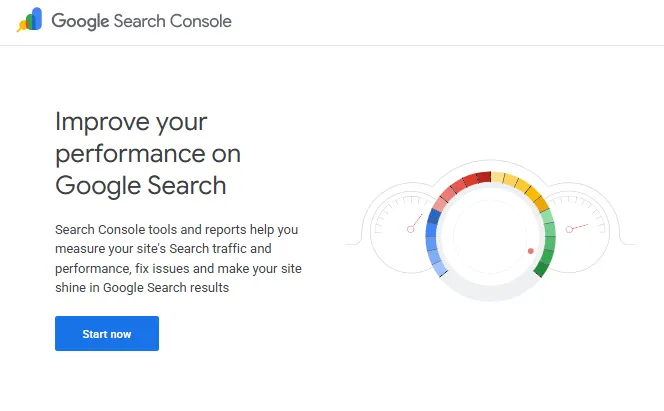
If you only use one SEO tool, this is the one.
Google Search Console shows you how Google sees your site. Which queries you rank for. Which pages get clicked. Which technical issues are holding you back. The data comes straight from Google, so no estimates or third-party guesses.
Best features
- Performance report with real impressions and clicks, not estimated traffic
- URL Inspection tool that tells you why a page isn’t indexed and how to fix it
- Core Web Vitals report tied to your actual user experience
Pros
- It’s free, and the data is first-party from Google itself
- The URL Inspection tool fixes 80% of “why won’t this page index” problems
- AI Overview impression data started appearing in late 2025, which makes it the only free way to track AI visibility
Cons
- Data only goes back 16 months
- Keyword data is partial because Google hides anonymized queries
- You can only see your own site, never a competitor’s
Best for: Anyone with a website, from beginner to expert.
Pricing: Free.
2. Google Analytics 4
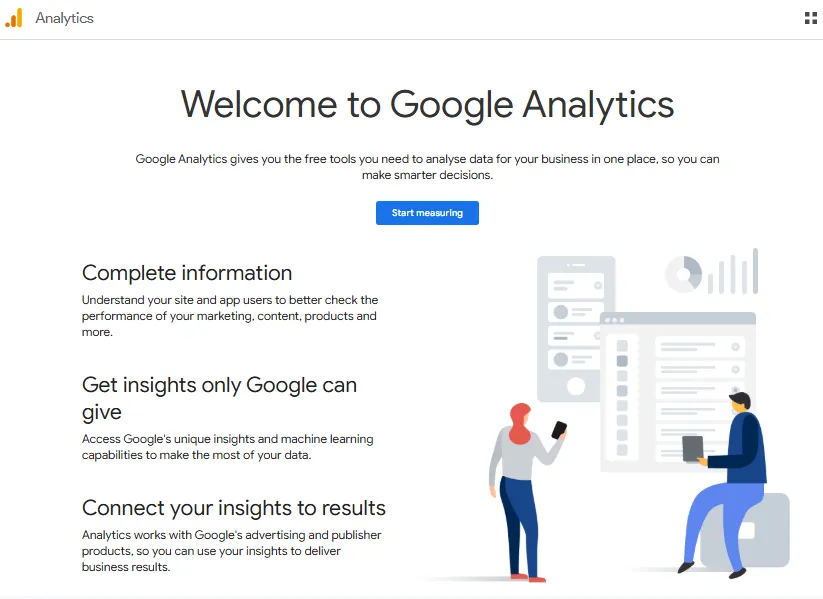
You can’t optimize what you can’t measure. GA4 is the free way to measure.
It tracks where your traffic comes from, what visitors do, and which content drives outcomes you care about. Pair it with Search Console and you get a clear picture of both demand and behaviour.
Best features
- Real-time traffic reporting by source, device, and country
- Conversion tracking that ties traffic back to sign-ups, sales, or whatever you call a win
- Engagement metrics that replace the old (and lying) bounce rate
Pros
- Free, and it integrates cleanly with Search Console and Looker Studio
- The event-based data model is more flexible than Universal Analytics ever was
- You can build dashboards your CMO will actually open
Cons
- GA4 is a step backward in UX compared to Universal Analytics
- The learning curve is steeper than most expect
- Year-over-year comparisons are clunky
Best for: Any site owner who wants to know what’s working.
Pricing: Free for almost every site you’ll run.
3. Google Trends
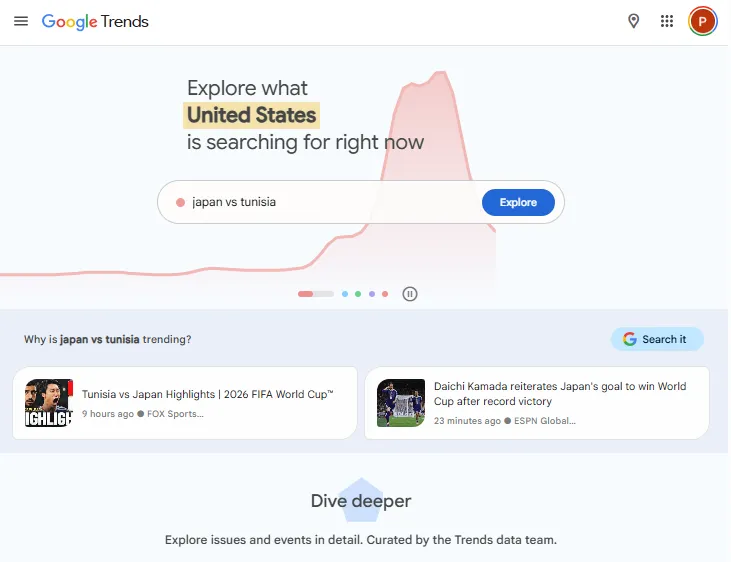
This one is underused.
Google Trends shows you the search demand curve for any topic. Is it rising? Falling? Seasonal? You learn fast. I use it before writing any major piece, because publishing a guide about a fading topic is one of the worst time sinks in SEO.
Best features
- Interest over time comparison across multiple keywords
- “Rising” related queries that flag trends before they peak
- Geographic breakdown by region or city
Pros
- Free and fast
- Helps you spot fading topics before you commit time to them
- Great for content calendar planning
Cons
- No absolute volume numbers, only relative interest scores
- Limited usefulness for niche or low-volume queries
- Data can feel noisy on short time windows
Best for: Content marketers, bloggers, anyone planning a content calendar.
Pricing: Free.
4. Bing Webmaster Tools
Most SEOs still ignore Bing. That’s a mistake in 2026.
Bing powers ChatGPT’s search results. So showing up in Bing now matters more than it has in 15 years. Bing Webmaster Tools is the free way to optimize for it.
Best features
- Site Explorer with backlink data, completely free
- Keyword Research tool with monthly search volumes
- SEO audit that flags issues across the whole site
Pros
- Free backlink data, which is rare in 2026
- Verified ownership via Google Search Console with one click
- Keyword volume data sometimes finds gaps Google misses
Cons
- Smaller data set than paid tools
- The UI feels like Microsoft from 2017
- Some features sit behind unclear feature flags
Best for: Anyone who wants to show up in ChatGPT and Bing search.
Pricing: Free.
5. AnswerThePublic
If you want to know what real people are asking, this is the fastest way.
AnswerThePublic visualizes search queries as a question wheel. You enter a topic, and it spits out hundreds of “how,” “what,” “why,” and “vs” questions people actually search.
Best features
- Question wheel grouped by question type (who, what, when, where, why, how)
- Preposition breakdowns (with, for, like, vs, etc.)
- Alphabetical listing for long-tail keyword discovery
Pros
- Brilliant for blog post ideas and FAQ-style content
- Visual format is fast to scan
- Free version covers most needs
Cons
- Free version has daily search limits
- Some questions feel low-intent
- Data quality varies by topic and language
Best for: Bloggers, content marketers, anyone planning topic clusters.
Pricing: Free version with daily limits. Paid plans start around $11 per month billed annually.
6. Keywords Everywhere
This is the only browser extension I leave on full-time.
Keywords Everywhere shows you keyword volume, CPC, and competition right inside Google search results. No tab switching, no exports. It also pulls “People Also Search For” data into the SERP and shows related keywords in a sidebar.
Best features
- Inline metrics on Google SERPs
- Related keyword suggestions in the sidebar
- Works on YouTube, Amazon, eBay, and Bing too
Pros
- Cheapest paid SEO tool you’ll ever buy
- Saves hours of clicking around
- Works across multiple search engines
Cons
- Pay-as-you-go credits, so heavy users rack up costs
- Free version is more limited in 2026 than it used to be
- Volume estimates aren’t always accurate on long-tail queries
Best for: Anyone doing keyword research who hates jumping between tabs.
Pricing: Free version available. Credits start at $1.25 per 1,000 lookups. Paid plans from around $2 per month.
Best All-in-One SEO Platforms
If you can only pay for one platform, this is where the money goes. These tools cover keyword research, backlinks, rank tracking, audits, and content all under one login.
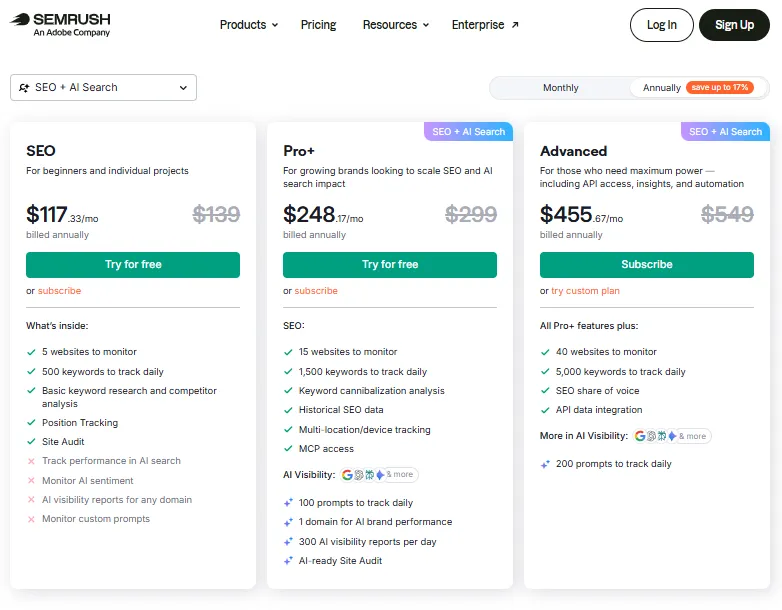
7. Semrush
Semrush is the most widely used SEO platform on the planet, and there’s a reason for that.
It does everything. Keyword research, competitor analysis, backlink tracking, technical audits, content optimization, position tracking, and PPC research, all from one dashboard. If your job touches paid search at all, it’s the better pick over Ahrefs.
Best features
- Keyword Magic Tool, still the best keyword brainstorm engine I’ve used
- Position Tracking with local SERP simulation
- AI Toolkit and Copilot for surfacing insights without manually digging
Pros
- Most complete data set across SEO and paid search
- Strong agency features like white-label reports and client portals
- The newer AI Toolkit tracks AI Overview visibility natively
Cons
- Starting price stings if you only need keyword research
- UI has roughly 50 sub-sections, which is a lot to learn
- Some data points feel less accurate than Ahrefs on direct comparison
Best for: In-house teams, agencies, anyone running SEO and paid together.
Pricing: Check out the Semrush pricing plans
8. Ahrefs
If Semrush is the Swiss Army knife, Ahrefs is the scalpel.
Ahrefs is my go-to for backlink research, content gap analysis, and competitor digging. Their data set on backlinks is the best in the industry, and they’ve been climbing fast on the AI visibility side with Brand Radar.
Best features
- Site Explorer with the deepest backlink index on the market
- Content Gap tool that surfaces keywords your competitors rank for and you don’t
- Brand Radar add-on tracks brand mentions across ChatGPT, Perplexity, and Gemini
Pros
- Backlink data quality is the cleanest in the category
- The Ahrefs Webmaster Tools tier is genuinely useful at zero cost for sites you own
- Educational content from the Ahrefs team is some of the best free SEO training online
Cons
- Not the cheapest option, especially if you need agency-level limits
- Rank tracking is less accurate than dedicated rank trackers
- Some traffic estimates feel high compared to first-party data
Best for: Practitioners who care about backlinks, competitor research, and content gaps.
Pricing: Starter plan at $29 per month (hidden on the pricing page). Lite at $108. Standard at $208. Advanced at $374.
9. SE Ranking
This is the best value in all-in-one SEO software in 2026.
SE Ranking gives you keyword research, rank tracking, site audits, competitor research, and reporting at roughly 40% of what Semrush charges. The keyword database is smaller, but for small businesses and bloggers, it’s more than enough.
Best features
- Unlimited keywords on higher plans, which is rare at this price
- Site Audit covers 100+ parameters including Core Web Vitals
- Marketing Plan tool walks beginners through an SEO checklist customized to their site
Pros
- Best price-to-feature ratio in the all-in-one category
- White-label reports included on agency plans
- Local rank tracking works well, including map pack data
Cons
- Keyword database is smaller than Semrush or Ahrefs
- Backlink index is decent but not best-in-class
- AI features are still catching up to the bigger players
Best for: Small businesses, freelancers, agencies on a budget.
Pricing: Essential at $44 per month. Pro at $87. Business at $191.
Best Keyword Research Tools
The all-in-ones cover keyword research, but if that’s your main job, a focused tool gives you cleaner data faster.
10. Mangools (KWFinder)
Mangools is my pick for SEOs who don’t want to learn another enterprise UI.
It bundles five tools: KWFinder for keyword research, SERPChecker for SERP analysis, SERPWatcher for rank tracking, LinkMiner for backlinks, and SiteProfiler for site metrics. KWFinder is the star, and the keyword difficulty score is one of the most accurate I’ve tested.
Best features
- KWFinder’s keyword difficulty is genuinely useful, not just a number
- SERP analysis shows you exactly who you’re up against
- SERPWatcher gives daily rank updates on both desktop and mobile
Pros
- Cleanest UI in the SEO category, hands down
- The full bundle costs less than Semrush’s entry plan
- New AI Search Watcher tracks brand mentions in ChatGPT and Gemini
Cons
- Less deep than Ahrefs for backlink work
- Tracked keyword limits feel tight on lower tiers
- Not built for enterprise reporting needs
Best for: Bloggers, solopreneurs, small agencies, anyone who hates complicated tools.
Pricing: Basic at $29 per month billed annually ($49 monthly). Premium at $49 annual ($69 monthly). Agency at $79 annual ($129 monthly).
Best SEO Tools for Content Optimization
These tools tell you what to write so the page actually ranks. They scrape the top-ranking results, find the terms and structure those pages share, and grade your draft against them.
11. Surfer SEO
Surfer is the content optimization tool I open the most.
It scrapes the top 10 results for your target keyword, finds the terms and patterns those pages share, and gives you a Content Score as you write. The Google Docs integration means you don’t have to leave your writing flow.
Best features
- Content Editor with real-time scoring as you write
- Auto-Optimize feature that injects missing terms in a click
- Surfer AI generates full first drafts in your brand voice
Pros
- The Google Docs and WordPress integrations are smooth
- Brand voice controls help keep AI drafts from sounding like a chatbot
- Recent updates added GEO scoring for AI Overview readiness
Cons
- $99 per month feels steep if you only publish a couple posts a month
- Auto-Optimize can over-stuff terms if you trust it too much
- No technical SEO features inside the platform
Best for: B2B Content marketing teams, in-house SEO teams, agencies producing editorial content.
Pricing: Essential at $99 per month. Scale at $219. Enterprise is custom.
12. Clearscope
Clearscope is what I reach for when the budget is bigger and the content matters more.
The platform is cleaner than Surfer and the term recommendations are usually more accurate. It also reports a content grade against top-ranking pages, helps you find related keywords, and gives a readability score. The Google Docs and WordPress integrations work well.
Best features
- Cleanest term recommendation engine in the category
- Inventory feature surfaces topical authority gaps on your site
- Native integration with Google Docs and WordPress
Pros
- Word recommendations consistently match what ranks
- Better at semantic suggestions than competitor tools
- Used by some of the biggest content teams (HubSpot, Adobe, Atlassian)
Cons
- Significantly pricier than Surfer or Frase
- No AI writing feature, only optimization
- Limited keyword research depth compared to all-in-ones
Best for: Mid-market and enterprise content teams who care about quality over volume.
Pricing: Essentials starts at $189 per month. Business and Enterprise plans are custom.
13. Frase
Frase is the best mid-tier content optimization tool.
It does the same job as Clearscope and Surfer at half the price. You get a content brief generator, a real-time editor with topic scoring, and dual SEO + GEO scoring that shows how your content aligns with both Google and AI platforms.
Best features
- AI content brief generator pulls from top-ranking pages in seconds
- Dual scoring for traditional SEO and Generative Engine Optimization
- Question research from People Also Ask and Reddit
Pros
- Pricing is generous for what it does
- The Document Question feature surfaces angles competitors miss
- GEO scoring is a real edge over older tools
Cons
- AI writing output still needs heavy editing
- UI feels busier than Clearscope
- Some integrations are flaky
Best for: Solo creators, bloggers, small marketing teams who need a content optimization tool that won’t break the bank.
Pricing: Solo at $15 per month. Basic at $45. Team at $115. Pro Add-on for unlimited AI from $35.
Best Technical SEO Tools
Technical SEO is where most sites quietly lose ranking. These tools find the broken stuff before Google does.
14. Screaming Frog
Screaming Frog is the desktop crawler every serious SEO uses.
You point it at a site, and it pulls apart every URL like Googlebot would. Broken links, redirect chains, duplicate titles, missing canonical tags, response codes, page depth, hreflang issues. It surfaces over 300 SEO issues, and it does it faster than any cloud tool I’ve used.
Best features
- Identifies 300+ technical SEO issues, warnings, and opportunities
- JavaScript rendering with headless Chromium for SPAs
- API integrations with GSC, GA4, and PageSpeed Insights
Pros
- Best technical SEO crawler for the money, full stop
- Free version handles up to 500 URLs, which is enough for small sites
- No subscription lock-in, just an annual license
Cons
- Desktop-only and resource-heavy on large sites
- The UI hasn’t been redesigned in years
- Steep learning curve if you’re new to technical SEO
Best for: SEO professionals, agencies, and anyone running technical audits regularly.
Pricing: Free for up to 500 URLs. Paid license at £199 per year (about $250).
15. Sitebulb
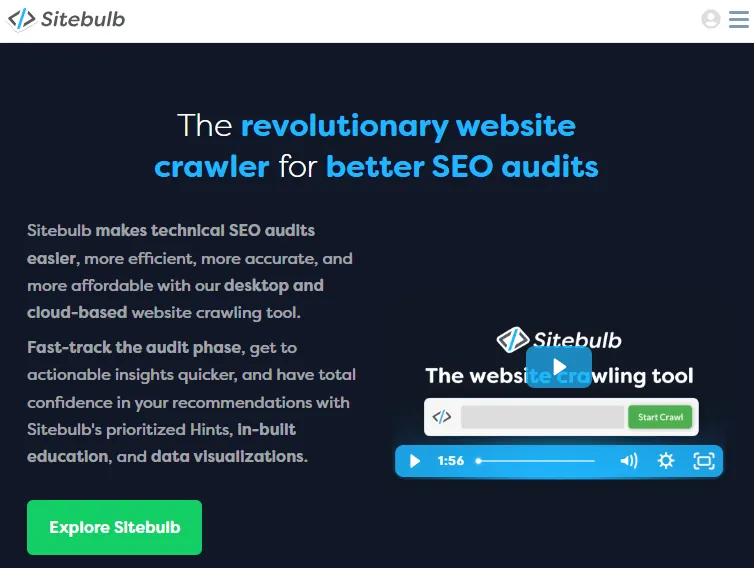
Sitebulb is what Screaming Frog would look like if it were redesigned in 2024.
It does roughly the same job, but the visual reports and prioritized recommendations are better. If you’re presenting technical audit findings to a client who doesn’t read XML sitemaps for fun, Sitebulb’s reports will save you hours.
Best features
- Visual crawl maps that show site architecture at a glance
- Prioritized hints that rank issues by impact, not just count
- Cloud crawling for sites that crash a desktop app
Pros
- Best technical SEO reporting for client-facing work
- Hints are explained in plain English, with fix recommendations
- Cloud option scales for enterprise sites
Cons
- Pricier than Screaming Frog
- Cloud crawls are credit-based
- Less popular, so the community is smaller
Best for: SEO consultants, agencies, in-house teams running regular audits.
Pricing: Desktop plans start at $13.50 per month. Cloud plans at $35 per month and up.
16. PageSpeed Insights
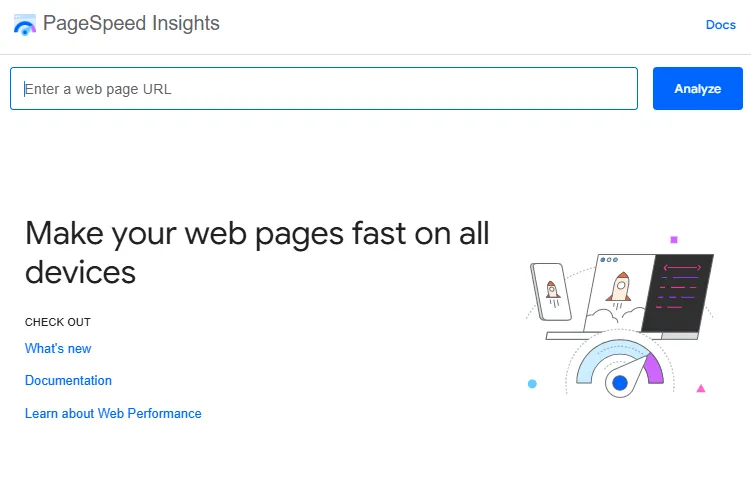
Core Web Vitals are still a ranking factor, and PageSpeed Insights is the free way to check them.
You paste a URL, and it gives you mobile and desktop scores from 0 to 100, broken down by LCP, INP, CLS, and other technical metrics. The diagnostics tell you what’s slowing the page down and how to fix each issue.
Best features
- Real-world Chrome User Experience data, not just lab tests
- Specific recommendations with code snippets
- Mobile and desktop scoring in one report
Pros
- Free, fast, and the same tool Google uses internally
- Diagnostics are concrete, not vague
- Updated with the latest Lighthouse engine on a regular cadence
Cons
- Only gives you one URL at a time
- Field data only available for sites with enough Chrome traffic
- Scores can fluctuate between runs
Best for: Anyone optimizing page speed or Core Web Vitals.
Pricing: Free.
Best Link Building and Backlink Analysis Tools
Backlinks still matter in 2026, but the playbook has shifted. You need fewer, better links from sites Google trusts. These tools help you find, vet, and pitch them.
17. Pitchbox
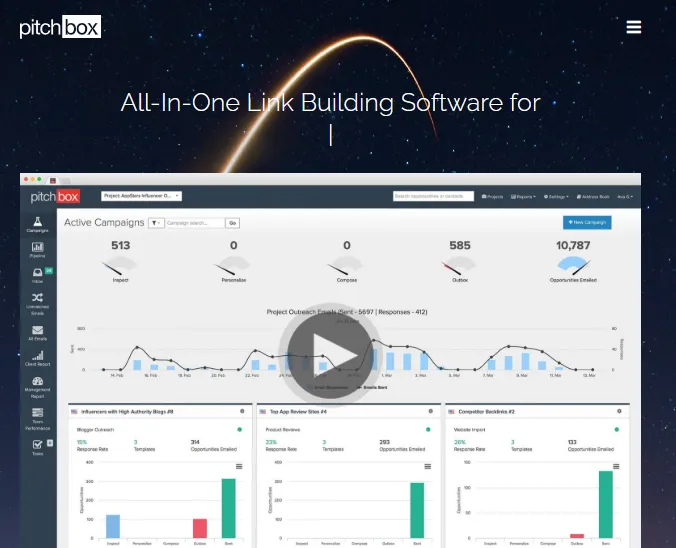
Pitchbox is the platform serious link builders use.
It automates the parts of outreach you’d otherwise do manually: prospecting, email finding, personalized outreach, and follow-ups. You set the campaign rules, and it runs the workflow at scale while keeping the human-feel of your emails.
Best features
- Built-in prospecting from Ahrefs, Semrush, and Moz data
- Personalized outreach templates with merge fields
- Automated follow-up sequences with reply detection
Pros
- Best workflow tool for high-volume outreach
- Native integrations with the big SEO platforms
- Strong reporting for agency clients
Cons
- Enterprise pricing only, no self-serve tier
- Steep learning curve
- Overkill if you only build 5 links a month
Best for: Link building agencies, in-house teams running large outreach campaigns.
Pricing: Custom pricing, typically starting around $165 per month. Annual contracts required.
18. Hunter
Hunter is the email finder I use every week.
You paste a domain, and Hunter gives you the email addresses associated with it, verified for deliverability. It also has a basic outreach tool baked in, which is enough if you’re not running campaigns at Pitchbox scale.
Best features
- Domain Search for finding emails by company
- Email Verifier to remove invalid addresses before you send
- Campaigns feature for basic cold email automation
Pros
- Free tier with 25 searches and 50 verifications per month
- Clean Chrome extension that works inside LinkedIn and company sites
- Decent enough deliverability to use as a primary outreach tool
Cons
- Lower hit rate than enterprise tools for smaller companies
- Campaigns feature is basic compared to Pitchbox
- Email verification gets expensive at scale
Best for: Solo SEOs, freelancers, small teams doing outreach.
Pricing: Free for 25 searches per month. Starter at $49. Growth at $149. Scale at $299.
Best Rank Tracking Tools
Most all-in-one tools include rank tracking, but if rankings drive your business, a dedicated tracker is more accurate and updates faster.
19. AccuRanker
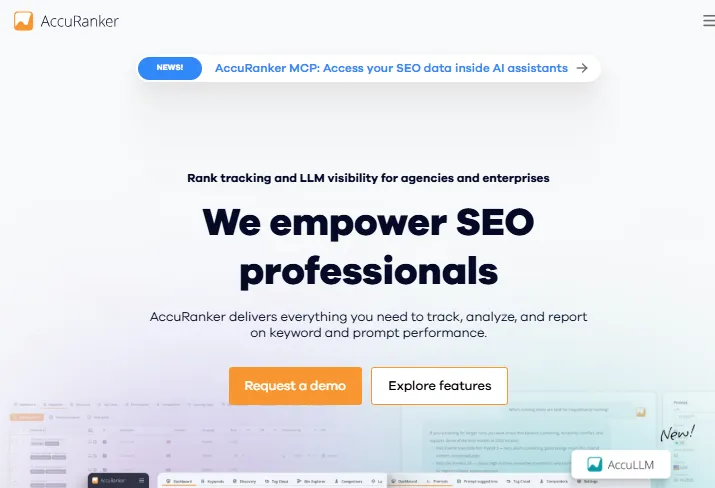
AccuRanker is the fastest rank tracker I’ve used.
It updates daily by default, on-demand whenever you click refresh, and tracks across Google, Bing, YouTube, and Amazon. The data accuracy is consistently higher than what the all-in-ones give you.
Best features
- On-demand rank updates with one click
- SERP feature tracking, including AI Overviews
- Share of Voice metric that quantifies your visibility against competitors
Pros
- Most accurate rank tracking on the market
- Strong tag and filter system for managing large keyword sets
- Native Looker Studio integration
Cons
- Pricier than rank trackers built into all-in-one platforms
- No real keyword research features, this is a focused tool
- Pricing scales with keyword volume, which can balloon fast
Best for: Agencies, in-house SEO teams, anyone where rank accuracy directly impacts revenue.
Pricing: Starts at around $129 per month for 500 keywords. Scales by keyword count.
20. Nightwatch
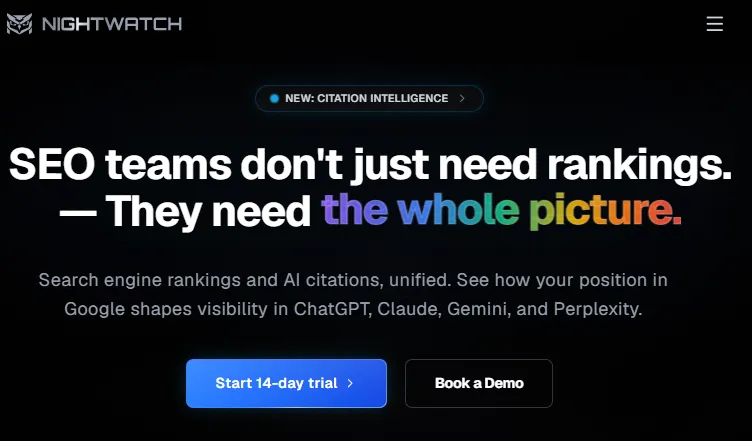
Nightwatch is the rank tracker I recommend for local SEO.
It handles location-specific tracking better than most enterprise tools and supports tracking inside ZIP codes, not just cities. The interface is also one of the cleaner ones in the category.
Best features
- Granular location tracking down to ZIP code
- Backlink monitoring with disavow file support
- Automated SEO reports with white-label options
Pros
- Best price-to-feature ratio for serious rank tracking
- Local pack tracking is more reliable than the all-in-ones
- Solid API for custom dashboards
Cons
- Less well known, so fewer integrations
- Reporting is good but not best-in-class
- Mobile rank data sometimes lags
Best for: Local SEO agencies, multi-location businesses, anyone tracking rankings at a granular level.
Pricing: Starter at $32 per month. Optimizer at $79. Agency plans available.
Best Local SEO Tools
If you run SEO for businesses with a physical location, your stack needs different tools. Local pack rankings, Google Business Profile health, and citation building all matter more than backlinks.
21. BrightLocal
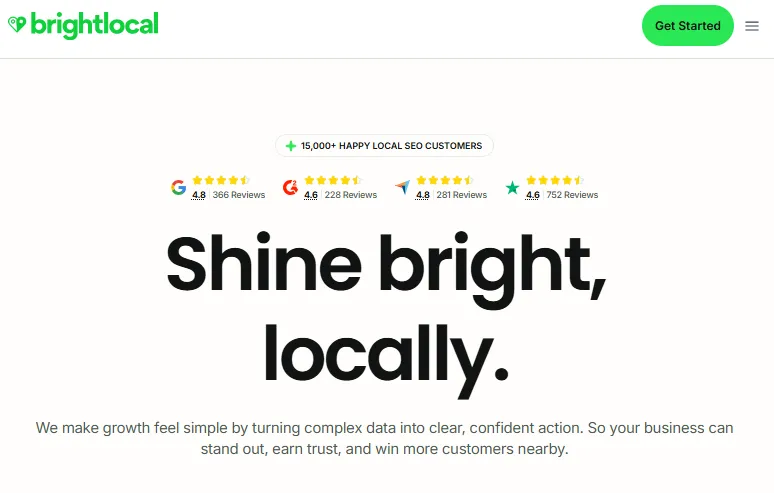
BrightLocal is the local SEO platform I keep coming back to.
It handles Google Business Profile audits, local rank tracking with map pack support, citation building, and review monitoring. It’s purpose-built for local agencies and multi-location brands, which most general SEO tools aren’t.
Best features
- Local rank tracking with map pack visibility
- Citation Tracker monitors directory listings across the web
- Reputation Manager pulls reviews from multiple platforms in one dashboard
Pros
- Most complete local SEO tool on the market
- Scales cleanly for agencies managing dozens of locations
- Pricing is reasonable for what it does
Cons
- Not useful if you don’t do local SEO
- Some features (like citation building) are now duplicative with Google Business Profile
- UI feels dated in places
Best for: Local SEO agencies, multi-location businesses, anyone optimizing for the local pack.
Pricing: Track at $39 per month. Manage at $59. Grow at $79.
Best AI SEO and GEO Visibility Tools
This is the newest category, and the fastest-moving. AI Overviews and chatbot answers are now part of the SEO game. You need tools that track them.
22. Peec AI
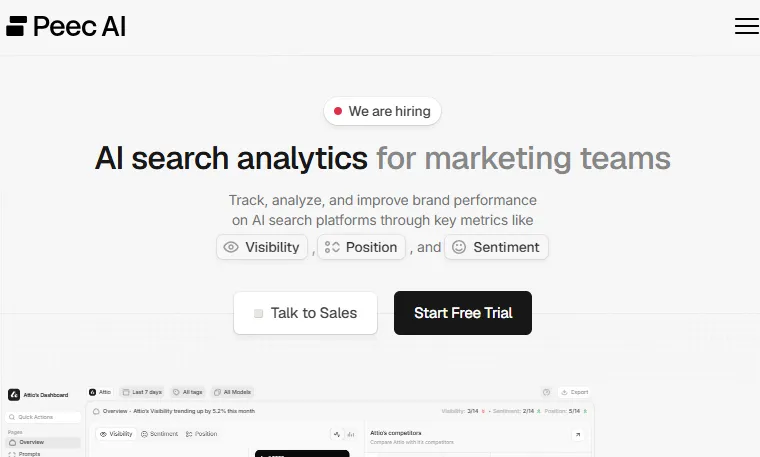
Peec AI is the AI visibility tracker I trust most in 2026.
It monitors how your brand shows up across ChatGPT, Perplexity, Gemini, and Claude. Mentions, sentiment, the questions you’re being cited on, and where you’re losing share of voice to competitors. It’s not a content tool. It’s a measurement tool.
Best features
- Brand mention tracking across all major LLM platforms
- Sentiment analysis on how AI tools describe your brand
- Competitor visibility benchmarking
Pros
- Most accurate AI search analytics I’ve tested
- Reports are designed for non-SEO stakeholders
- Catches new AI surface areas as they launch
Cons
- Newer product, so some features still feel beta
- No content creation tools, this is measurement only
- Pricing climbs fast if you track multiple brands
Best for: Marketing teams, agencies, anyone whose buyers research in AI tools.
Pricing: Starts around $49 per month for solo plans. Team and enterprise pricing scales by mentions tracked.
23. ChatGPT
This is the AI tool I use most for SEO work.
Not for writing finished articles (that almost always reads like AI slop). For research, brief generation, schema markup, regex help, finding angles, and bouncing ideas. The Custom GPTs and Projects features make it actually useful for ongoing SEO work, not just one-off prompts.
Best features
- Custom GPTs trained on your brand voice or SEO frameworks
- Web browsing for real-time research and SERP analysis
- Code Interpreter for analyzing GSC exports and CSV data
Pros
- Easily the most flexible AI tool in the SEO toolkit
- Pro plan unlocks o3 for harder analytical tasks
- Saves dozens of hours a month on research and analysis
Cons
- Hallucinates statistics, always verify
- Writing output needs heavy human editing
- Knowledge cutoff means it lags on the latest SEO changes
Best for: Every SEO practitioner. Yes, every single one.
Pricing: Free tier with limits. Plus at $20 per month. Pro at $200 for power users.
24. Claude
Claude is the AI tool I reach for when the writing actually has to be good.
For long-form work, complex reasoning, and content that needs to feel human, Claude is consistently better than ChatGPT. The Projects feature lets you load reference files and brand guides so the output stays on-voice across sessions.
Best features
- Projects for persistent context across conversations
- Excellent at long-form writing without the AI cadence
- Artifacts for building interactive content right in the chat
Pros
- Best AI for content that doesn’t need to be rewritten line by line
- Stays on-tone for hundreds of words at a time
- The Sonnet model is plenty good for most tasks
Cons
- Web search is newer and less mature than ChatGPT’s
- No image generation
- Pricing for Pro and Max is comparable to ChatGPT
Best for: Content writers, editors, anyone where output quality matters more than novelty features.
Pricing: Free tier with limits. Pro at $20 per month. Max plans for power users.
Best WordPress SEO Plugin
If your site runs on WordPress (and most still do), you need one plugin to handle the SEO basics. There’s only one I recommend.
25. Rank Math
Rank Math is the SEO plugin I use on every WordPress site I touch.
It handles schema markup, sitemaps, meta tags, breadcrumbs, internal linking suggestions, and content analysis. The free version does more than Yoast’s paid version. The Pro version adds Schema Pro, advanced redirections, and Google Trends integration.
Best features
- Built-in schema generator for 20+ schema types, including FAQPage and HowTo
- Content AI for on-page SEO optimization right inside the WordPress editor
- 404 monitor and redirection manager in the same UI
Pros
- Free version is more generous than competing plugins
- Lightweight, doesn’t slow down your site like Yoast can
- Schema markup setup is the cleanest in the WordPress ecosystem
Cons
- Onboarding wizard has a lot of settings that intimidate beginners
- Some Pro features feel like they should be in the free tier
- Migrating from Yoast takes a careful afternoon
Best for: Any WordPress site owner who cares about SEO.
Pricing: Free version handles most needs. Pro at $69 per year. Business at $149. Agency at $499.
My Recommended SEO Tool Stack by Budget
Not every SEO needs every tool. Here’s what I’d actually buy at each budget tier.
Free Stack ($0/month)
If you have zero budget, here’s the lineup that will get you 80% of the way:
- Google Search Console for performance and indexing
- Google Analytics 4 for traffic and conversions
- Bing Webmaster Tools for ChatGPT and Bing visibility
- Google Trends for demand validation
- AnswerThePublic free tier for content ideas
- Screaming Frog free tier for technical crawls under 500 URLs
- Rank Math free version for WordPress
- ChatGPT free tier for research and briefs
This stack runs zero dollars a month. Most beginners would be better served by maxing this out than paying for a $100/month platform they don’t know how to use.
Bootstrap Stack ($50 to $100/month)
When you’re ready to invest a little, layer these in:
- Mangools at $29 to $49/month for keyword research and rank tracking
- ChatGPT Plus at $20/month for power use
- AnswerThePublic paid at $11/month for unlimited searches
Total: around $80/month. This is what I’d recommend for solo bloggers and small affiliate sites.
Pro Stack ($200 to $400/month)
If SEO is your job or your main growth channel, this stack pays for itself fast:
- Ahrefs Lite at $108/month for backlinks and competitor research
- Surfer SEO Essential at $99/month for content optimization
- Screaming Frog license at about $20/month (paid annually)
- AccuRanker at $129/month for rank tracking
- Rank Math Pro at about $6/month for WordPress
Total: roughly $360/month. This is the stack I’d run for a serious content site or in-house SEO role.
Agency Stack ($600+/month)
If you manage multiple client sites, you’ll want:
- Semrush Guru at $249.95/month for the full agency feature set
- Ahrefs Standard at $208/month for deeper backlink work
- Sitebulb Cloud at $35+/month for technical audits
- BrightLocal at $59/month if you do local SEO
- Peec AI at around $99/month for AI visibility reporting
- Pitchbox at around $165/month for outreach automation
Total: $800 to $1,200/month depending on add-ons. This is overkill for solo operators but pays for itself the moment you have three or more clients.
How These Tools Actually Fit Together
Tools don’t replace strategy. They just make a good strategy faster to execute. Here’s the workflow I run almost every week.
Step 1: Find the topic. Start in Google Trends and AnswerThePublic to validate demand and find the real questions people ask. Then run the topic through Ahrefs or Mangools to pull volume, difficulty, and SERP competition.
Step 2: Plan the page. Use Frase or Surfer to scrape the top results and build a content brief. Cross-check with ChatGPT for missed angles. Verify search intent matches what you’re planning to write.
Step 3: Write and optimize. Draft inside Surfer or Clearscope so you can see your Content Score climb in real time. Use Claude or ChatGPT for outlines and rewrites, but always edit by hand. AI drafts that go up untouched are the easiest way to tank a site in 2026.
Step 4: Publish and audit. Push the article live. Run Screaming Frog or Sitebulb on the new page to confirm clean technical signals. Submit the URL in Google Search Console.
Step 5: Track and iterate. Watch performance in Search Console and GA4. Track rankings in AccuRanker or SE Ranking. Use Peec AI to see if your content gets cited in AI Overviews. Update the post quarterly based on what’s working and what’s losing rank.
That workflow takes a stack of maybe six tools. Not 25.
Final Thoughts: Which SEO Tools Are Worth Your Money
You don’t need a $1,000 stack to win at SEO in 2026.
You need a clear strategy, content that answers real questions better than what’s currently ranking, and a handful of tools that match where you are right now. Most operators I know use 5 to 7 tools well. They don’t try to master 25.
Start with the free Google stack. Add Mangools or SE Ranking when you outgrow it. Layer in Surfer or Frase when content optimization becomes a priority. Bring in Screaming Frog when technical SEO gets serious. Then track AI visibility with Peec AI once you’re showing up in AI Overviews.
The best SEO tools in 2026 are the ones that match your work, not the most expensive ones. Pick the stack that fits where you are, master it, and upgrade when you actually hit the ceiling.
Now go ship something.
Frequently Asked Questions
What are the best free SEO tools in 2026?
The best free SEO tools are Google Search Console, Google Analytics 4, Google Trends, Bing Webmaster Tools, AnswerThePublic, and Screaming Frog’s free tier. Combined, they cover indexing, performance tracking, keyword research, traffic analysis, and technical audits at zero cost. Most beginners can run their entire SEO program on this stack for the first 6 to 12 months.
Which SEO tools are best for beginners?
For beginners, the best SEO tools are Google Search Console, Mangools, and Rank Math for WordPress. Search Console teaches you how Google sees your site. Mangools has the cleanest UI of any paid SEO tool, so the learning curve is short. Rank Math handles your on-page basics without needing technical knowledge.
Do I really need to pay for SEO tools?
No, not at first. Most small sites can rank well on Google’s free tools alone for the first year. You’ll know it’s time to pay when you hit specific limits, like wanting competitor backlink data, tracking more than your own keywords, or needing content optimization at scale.
What’s the best AI SEO tool in 2026?
For content optimization with AI features, Surfer SEO and Frase lead the pack. For tracking AI visibility (mentions in ChatGPT, Perplexity, Gemini), Peec AI and Ahrefs Brand Radar are the strongest. For SEO research and content briefs, ChatGPT and Claude are the AI assistants most SEOs actually use day to day.
Which SEO tools work best for content optimization?
The best SEO tools for content optimization in 2026 are Surfer SEO, Clearscope, and Frase. Surfer is the most popular and integrates well with Google Docs. Clearscope is pricier but consistently produces the cleanest term recommendations. Frase wins on value, especially for solo creators and small teams.