
How AI in GTM Is Giving Lean Teams an Unfair Advantage
TL;DR
- AI in GTM is not a trend. It is the reason some teams are outworking you with half the effort.
- The biggest time savings are in prospecting, outreach, content, and pipeline.
- You do not need to overhaul your stack. One working AI workflow saves hours every week.
- AI handles the repetitive work. You handle the judgment. That split is what keeps your job safe.
Every second day, my manager asks the same thing.
“Are you using AI in GTM for this?”
It’s not just a question. It’s a signal of how the work is changing.
The people doing well on GTM teams are not putting in more hours. They are using AI in GTM to get through the slow parts faster. Their prospect lists are tighter. Their emails feel more relevant. They spend more time on conversations that actually move deals forward.
That is what your manager is noticing. Not effort, but how the work is being done.
This is not about replacing anyone. The pace of GTM work has already changed.
The teams moving ahead have adjusted to it. They know where AI in GTM actually helps and where it saves time.
This is what that looks like in practice.
What AI in GTM Actually Means
Before getting into where it saves you time, the definition needs to be right.
AI in GTM means using artificial intelligence to find the right accounts faster, reach them with more relevant messages, and convert more of them into revenue. It works across your full go-to-market strategy — from identifying the market to closing it.
It is not a product category. It is not a philosophy. It is a set of methods that replace the slow, repetitive parts of your motion with something faster and more precise.
The four areas where it delivers the most real-world value are prospecting, outreach, content, and pipeline. That is where most GTM teams lose their best hours every week. That is also where the fastest wins are.
Prospecting: The Old Way Was Costing You Hours Every Day
Here is what manual prospecting looks like in practice.
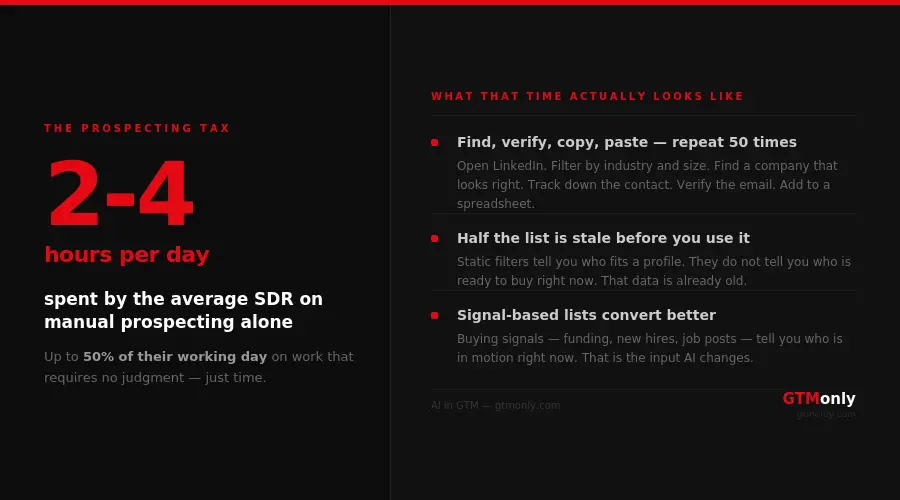
You open LinkedIn Sales Navigator and filter by industry and company size. You find a company that looks right. You open their website to confirm. You track down the right contact. Verify the email. Add it to a spreadsheet.
Repeat 50 times. Half the list is stale before you use it.
A strong SDR in the USA spends two to four hours a day on this alone. That is a quarter of their working day on a task that does not require their skills.
The bigger problem is what the list is based on. Industry and company size are static. They tell you who fits a profile. They do not tell you who is ready to buy right now.
The AI method changes the input.
Instead of demographic filters, you build prospecting around signals. Things that change. A company just raised a Series B. A new VP of Sales joined last month. They are hiring SDRs. Their job postings reference a problem you solve.
Each signal tells you something real: this company is in motion.
Here is how to build a signal-based workflow:
- Define three to five buying signals specific to your target accounts. Not company size alone. Things that change: recent funding, leadership hires, job postings that reveal strategic priorities, tech stack changes.
- Set those signals as filters in a data enrichment tool. The tool monitors millions of companies continuously and surfaces new matches as they appear.
- Each morning, review a short list of accounts that newly matched your criteria. The research is done. You are qualifying and acting, not building from scratch.
- Pass the qualified accounts to outreach. The lag between finding an account and reaching them shrinks from days to hours.
The list you get this way is not just faster. It converts better because you are reaching accounts when something in their world is actually changing.
This is where your ideal customer profile does the heavy lifting. Sharp ICP means sharp signals. Vague ICP means you surface accounts that look right on paper but never buy.
Outreach: Personalization at Scale Was Always a Math Problem
Every sales leader has said some version of this: “We need to be more personalized.” Every rep nodded, then sent the same template to 200 people.
Not laziness. Math.
Writing a genuine, contextually relevant first email for 150 prospects a week takes more time than the week itself. Teams default to light personalization. First name, company name, a line about growth. Buyers learned to ignore all of it.
The shift is from demographic personalization to contextual personalization.
Demographic personalization references who someone is. Contextual personalization references what just happened. One is easy to ignore. The other is hard to dismiss.
Here is the workflow:
- Pull one specific trigger for each prospect before writing anything. Their company just posted 12 sales roles. Their CEO published a post about a problem you solve. They launched a product that creates a gap you fill. One trigger, specific and recent.
- Write a prompt for your AI writing tool that includes that context directly. Be specific with the prompt. Vague in, vague out. Name the person, the company, the trigger, and the outcome your product delivers.
- Read the output critically. Fix anything that does not sound like something a real person would say. A good AI draft gets you 80% of the way there in 30 seconds. Your edit takes two minutes.
- Send, log the trigger you used, and track which trigger types generate the best response rates from which segments. That data makes every future batch better.
The personalization is not manufactured. It is real context about a real change, processed faster than any human team could manage at volume.
Content: Volume Without Hiring Three More People
The content problem in GTM is not ideas. Every marketing team has a backlog of topics they want to cover.
The problem is execution capacity. You have 15 topics that need to be written. Two people to write them. A publishing schedule that assumes five. Something always gets cut.
Old way: a writer stares at a blank page. Research, outline, draft, edit. One article. Half a working day. Two people publish two to three pieces a week on a good week.
The AI method removes the blank page problem.
Here is what the workflow looks like in practice:
- Write a content brief. Five to ten sentences covering the topic, the target reader, the specific angle, three things the piece must cover, and one thing it should not do. The brief is the most important input. Better brief, better output.
- Feed the brief to an AI writing tool and generate an outline. Review it the way an editor would. Cut the obvious sections. Add the missing ones. Adjust the angle where it defaults to generic.
- Generate the draft from the approved outline. Read it critically. Rewrite every section that sounds like every other article on the topic. Add your own examples, your own opinion, the nuance that AI always flattens.
- Your final piece took 90 minutes instead of four hours. The quality ceiling is still set by the human. The floor is raised by the AI.
The content that wins is still human at its core. The production capacity that makes volume possible is AI.
Some companies now build dedicated roles to maintain these workflows at scale. If you have come across the term GTM engineer, that is the role. They build and maintain the AI-powered systems that let a lean team operate at the output of a much larger one.
Pipeline: Forecasts That Reflect Reality, Not Hope
Most pipeline reviews are optimism dressed up in a spreadsheet.
A deal moves to “Proposal Sent” and sits there for six weeks. No activity. No response. Still counts toward the forecast because no one wants to have that conversation.
AI pipeline tools analyze call recordings, email activity, deal stage history, and CRM behavior to surface what the data actually shows. Not what the rep logged because their manager was watching.
A deal where the champion has gone quiet, where there has been no activity in 21 days, and where the last call ended without a clear next step shows up as a risk flag. Not because a human identified it. Because the pattern matches hundreds of deals that went the same way.
One thing to be clear about: this only works if your CRM data is clean. Bad data in, bad insights out. That rule does not change with AI.
What AI Cannot Do in GTM
This is the part most AI in GTM articles skip. It matters more than the tool list.
- AI in GTM cannot build relationships. Complex B2B sales in the USA run on trust built over months. AI in GTM gets you into the conversation faster. A human earns the yes.
- AI cannot fix a broken foundation. If your ICP is wrong or your positioning does not land, AI helps you scale the wrong motion faster. The strategy has to be right before the execution can scale.
- AI cannot write from experience. A post drafted entirely by AI can cover a topic. It cannot cover it the way someone who has lived it would. Readers know the difference. So does Google and other search engines.
- AI in GTM cannot run itself. Every AI workflow needs a human maintaining it, adjusting it, and fixing it when it breaks. The fully autonomous GTM motion is a vendor pitch, not a current reality.
Think of AI as the best support system your team has ever had for the repetitive work. You still have to show up, think clearly, and make the calls that actually matter.
The Teams Winning Right Now Started Before They Felt Ready
There is no perfect moment to start. The teams ahead right now did not have a better plan or a bigger budget. They picked one problem, tried one approach, and built confidence from there.
The fear of being left behind is real. But the actual threat is not AI taking your role. It is staying on the same manual workflow while the teams around you automate it. That gap compounds every quarter.
Pick one section from this article. The one that describes the most hours you lose every week. Start there. The rest follows.
Frequently Asked Questions
What is AI in GTM?
AI in GTM is the use of artificial intelligence across a company’s go-to-market motion to find, engage, and convert customers more efficiently. It applies to prospecting, outreach personalization, content production, pipeline forecasting, and revenue operations.
Will AI replace GTM professionals?
Not the ones doing the work well. AI replaces the repetitive, low-judgment tasks that eat hours every week. Professionals who direct AI, review its outputs, and apply human judgment where it counts are more valuable right now, not less.
What is the biggest benefit of AI in GTM?
Time. The most immediate benefit is getting hours back from tasks that required no real skill but took real time. Prospecting research, first-draft writing, CRM updates, follow-up scheduling. AI handles those so your team can focus on work that actually requires them.
Is AI in GTM only for large sales teams?
Not at all. Lean teams at early-stage and mid-market companies often see the strongest results because they have the most to gain from automation. A small outbound team using the right workflows can operate at the output level of a team three times its size.
Where should I start with AI in GTM if I have never used it?
Start with your biggest time sink. Identify the one task your team repeats most every week and find one tool built specifically for that problem. Run it for four weeks, measure what you get back, and build from there.