10 Best ABM Tools to Reach High-Value Accounts in 2026 (My Honest Review)
The best ABM tools in 2026 do a lot more than build target account lists.
Some help you find accounts that are already researching solutions. Some focus on personalized advertising. Others help sales and marketing work from the same set of account data.
I spent time comparing the leading platforms, looking at their features, pricing, and user feedback to understand where each one stands out.
If you’re trying to choose an ABM platform this year, this guide will help you narrow down the options much faster.
What Is an Account-Based Marketing Tool?
I think the easiest way to understand account-based marketing tools is to think about how most B2B teams work.
You have a list of companies you want to sell to.
The hard part is knowing which ones are actually showing interest.
Account-based marketing tools help solve that problem. They show which accounts are engaging with your brand, help you prioritize outreach, and make it easier to run campaigns around specific companies instead of broad audiences.
Depending on the platform, that can include intent data, account scoring, advertising, personalization, sales insights, and reporting.
How I Picked the Best ABM Tools for This List
There is no shortage of account-based marketing tools today.
The challenge is figuring out which ones are actually worth your time and budget.
For this guide, I reviewed product documentation, pricing pages, customer reviews, and independent comparisons. I also spent time reading feedback from marketers, sales teams, and RevOps professionals who use these tools every day.
Where possible, I also explored the platforms myself to get a better understanding of the user experience, core features, and overall workflow.
One thing I noticed during my research is that not every ABM tool is trying to solve the same problem.
Some focus on intent data. Some focus on advertising. Others are built around personalization, analytics, or account engagement.
Because of that, I did not look at features alone when putting this list together.
I considered:
- ABM features and capabilities
- Ease of use
- Pricing and overall value
- Customer reviews and ratings
- CRM and marketing integrations
- Best-fit use cases
- How well each platform supports modern B2B marketing and sales teams
The goal was not to find one tool that works for everyone.
It was to identify the platforms that stand out in their category and help different teams get more from their account-based marketing efforts.
10 Best Account-Based Marketing (ABM) Solutions for 2026
After comparing the leading platforms, these are the Account-Based Marketing (ABM) tools I would put on the shortlist in 2026.
1. Factors.ai
Best For: Mid-market B2B teams looking for an easier way to get started with ABM
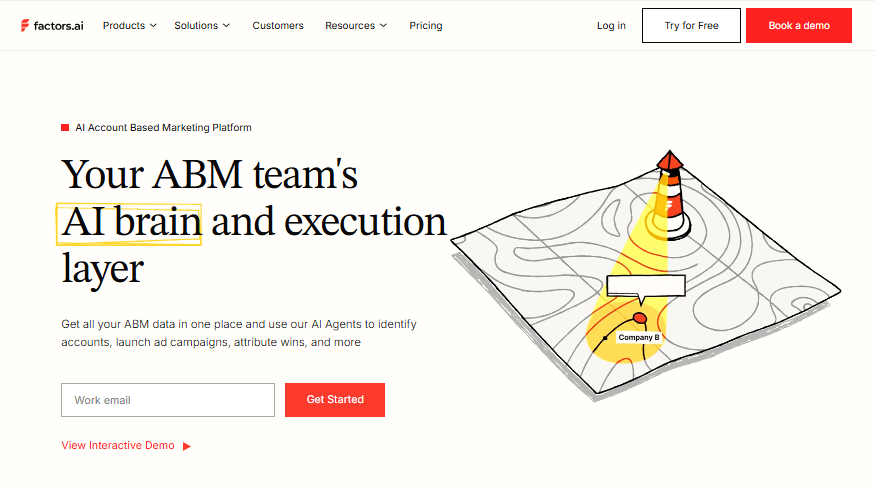
While researching ABM platforms, Factors.ai was one of the tools that kept showing up.
I went through user reviews, pricing pages, product documentation, and discussions across G2, Reddit, and Quora. The biggest thing that stood out to me was how focused the platform is on helping teams understand account activity without adding a lot of complexity.
A lot of ABM tools try to do everything.
Factors.ai takes a different approach.
The platform helps you see which companies are visiting your website, what accounts are showing buying intent, and which campaigns are actually influencing pipeline.
One thing I liked is that it pulls signals from multiple places into one dashboard. That includes your website, CRM, marketing automation platform, LinkedIn campaigns, and G2 intent data.
For teams that are new to ABM, that can save a lot of time.
Features Worth Highlighting
- Identifies up to 75% of website visitors and shows which companies are visiting your site.
- Automates repetitive tasks across your CRM and marketing tools.
- Helps you sort and prioritize accounts based on company data and engagement.
- Includes LinkedIn AdPilot for managing ad frequency, attribution, and conversion tracking.
- Comes with Scout, an AI assistant that lets you ask questions about your GTM data in plain English.
What I Like About Factors.ai
- Easy to use and quick to get comfortable with.
- A good fit for teams that are new to account-based marketing.
- Helps spot account activity and engagement trends early.
- Customer support gets consistently positive feedback from users.
- Includes a free plan for teams that want to try the platform first.
- One of the highest-rated ABM tools on G2.
What Could Be Better
- Does not provide visitor data at the individual user level.
- Some users report slowdowns when working with large datasets.
- Focuses more on accounts than individual leads.
- You may need another tool if contact enrichment is important to your workflow.
Pricing
- Free: $0/month
- Basic: $399/month
- Growth: $999/month
- Enterprise: Custom pricing
G2 Rating
4.7/5 stars (245+ reviews)
My Verdict
I think Factors.ai is one of the strongest ABM tools for mid-market B2B teams that want better visibility into account activity without spending enterprise-level money.
The free plan makes it easy to test.
I also like that the platform focuses heavily on attribution and pipeline influence instead of overwhelming users with features.
The biggest drawback is that it stops at the account level. If your strategy depends on contact-level enrichment or outbound prospecting, you’ll probably need another tool alongside it.
2. Demandbase
Best For: Large enterprise teams running full ABM programs with multiple channels and long sales cycles
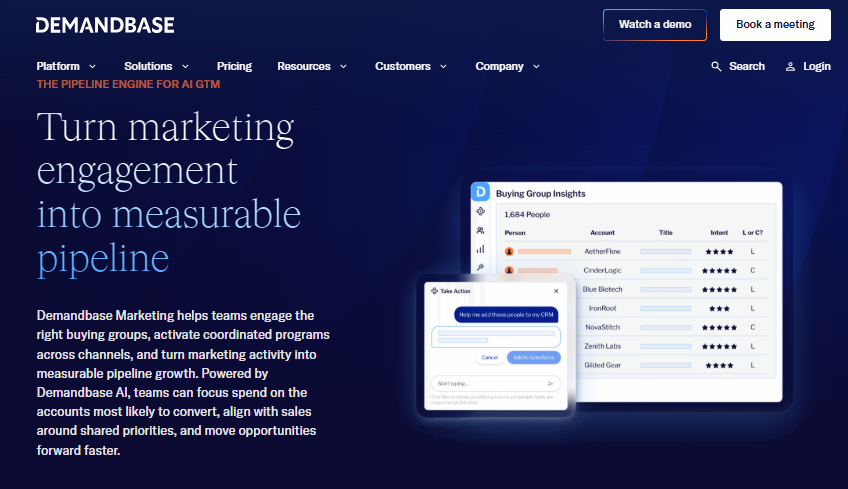
When I looked at Demandbase, the first thing that hit me was how “all-in-one” it is.
This is not a light tool. It is built for big teams that already have ABM running and now want to scale it across channels and accounts.
Demandbase brings everything into one place. Account identification, ads, sales intelligence, and analytics. It also mixes its own intent data with third-party sources so you can spot accounts that are already researching solutions.
In simple terms, it tries to show you who is ready to buy and helps you act on it across marketing and sales.
Features I Found Most Useful
- Scores accounts based on fit, buying intent, and engagement.
- Lets you run ABM ads across display, social media, and connected TV.
- Combines Demandbase intent data with Bombora signals.
- Gives you company details, org charts, and contact information in one place.
- Tracks the full account journey from the first touch to a closed deal.
What I Like About Demandbase
- The targeting options are some of the best I came across.
- Makes it easy to build very specific account segments.
- Real-time data helps teams react faster.
- Includes solid tools for engaging accounts across multiple channels.
- Has been a Gartner Magic Quadrant Leader for ABM for several years.
- Customer support gets positive feedback from many users.
What Could Be Better
- The price puts it out of reach for many smaller teams.
- There is a lot to learn when you first get started.
- Setup can take several weeks depending on your needs.
- There is no free plan or free trial.
Pricing
- Custom pricing
- Typically starts around $24,000 per year
- Many companies spend closer to $65,000 per year
G2 Rating
4.4/5 stars (1,934 reviews)
My Verdict
From what I saw, Demandbase clearly sits in the enterprise tier of ABM tools.
It is powerful, but it is not simple.
If you have a mature ABM setup and a team that knows what they are doing, Demandbase can bring everything under one roof. The targeting and intent data are strong, and the built-in advertising system is a big plus.
But I would not recommend it for small or early-stage teams.
It needs budget, time, and people to actually make it work well. Without that, it can feel like too much tool for too little need.
3. 6sense Revenue AI
Best For: Predicting buying intent and spotting accounts before they actively engage
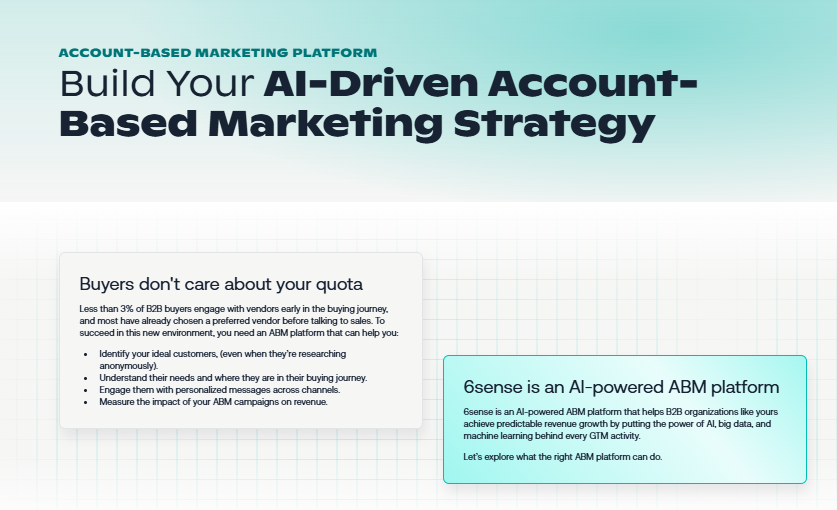
6sense felt different from most ABM tools I looked at.
Instead of just tracking what accounts are doing now, it tries to predict what they will do next.
It uses a large network of B2B intent signals and machine learning to figure out which accounts are in a buying cycle. In some cases, it claims to detect this up to six months before a sales conversation even starts.
That shift from “what is happening” to “what might happen next” is the core idea behind the platform.
Features That Make 6sense Stand Out
- Uses predictive models to spot accounts that may enter a buying cycle before they reach out.
- Pulls intent signals from a large network of B2B websites and data sources.
- Scores accounts based on fit, intent, and where they are in the buying journey.
- Helps identify anonymous companies visiting your website.
- Tracks buying stages from early research through to purchase.
What I Like About 6sense
- One of the strongest tools I found for predicting which accounts deserve attention.
- Makes it easier for sales and marketing to focus on the same opportunities.
- Helps teams prioritize accounts based on real buying signals instead of guesswork.
- Offers a free plan for teams that want to explore the platform.
What Could Be Better
- The interface can feel overwhelming at first, especially for smaller teams.
- There is a learning curve, and getting the most from the platform takes time.
- Data quality may vary depending on the region you’re targeting.
- Pricing is not public, and contracts are usually long term.
Pricing
- Custom pricing
- Plans typically start around $25,000 per year
- Most customers fall in the $60,000 to $75,000 per year range
- Larger enterprise deployments can exceed $200,000 per year
G2 Rating
4.4/5 stars (1,028 reviews)
My Verdict
What stood out to me with 6sense is how much it focuses on timing.
Not just which accounts matter, but when they matter.
If your team is data-heavy and you care about pipeline prediction, this tool makes a lot of sense. It gives you a clear view of where accounts are in the buying journey, which helps sales and marketing act earlier.
But there is a trade-off.
It is not a plug-and-play tool. It needs structure, training, and budget. Without that, most teams will not get full value from it.
For the right company though, it can completely change how account prioritization works.
4. RollWorks (AdRoll ABM)
Best For: Mid-market teams that want to start ABM with ads, without getting lost in complex enterprise tools
RollWorks is one of those tools that feels practical.
When I looked at it, I did not see a heavy enterprise system. I saw a platform built for teams that want to run account-based ads without needing a full ABM team in place.
It sits in a nice middle space. More structured than basic demand gen tools, but still simple compared to platforms like Demandbase or 6sense.
At its core, RollWorks helps you find the right accounts, run ads against them, and then connect that activity back to sales.
Features That Caught My Attention
- Uses machine learning to score accounts and improve ad targeting.
- Combines firmographic data with intent signals to help prioritize accounts.
- Supports retargeting across multiple devices and channels.
- Includes lookalike audience modeling to help expand reach.
- Sends engagement alerts through email and Slack when target accounts take action.
- Syncs account data directly with Salesforce.
What RollWorks Gets Right
- Easier to learn than many enterprise ABM platforms.
- Works particularly well for retargeting and account-based advertising.
- Campaign management is straightforward and easy to follow.
- Customer support and onboarding receive positive feedback from users.
- More accessible than many high-end ABM tools.
A Few Limitations
- The starting price can still be a hurdle for smaller teams.
- Content personalization features are fairly limited.
- Some users report bumps during the self-service setup process.
- Supports fewer channels than some enterprise-focused competitors.
Pricing
- Starts at $975 per month
- Final pricing depends on ad spend and selected features
G2 Rating
4.3/5 stars
My Verdict
From what I saw, RollWorks makes the most sense for teams that are just getting into ABM but already want to run paid campaigns around it.
It does not try to do everything.
It focuses more on account-based advertising and connecting that activity back to sales.
I think that is where its strength is.
It is simple enough to get started quickly, but still structured enough to feel like “real ABM” instead of just running ads to cold audiences.
If you are moving from demand generation into ABM, this is one of the smoother entry points.
5. Terminus
Best For: Teams that want to run coordinated ABM campaigns across multiple channels
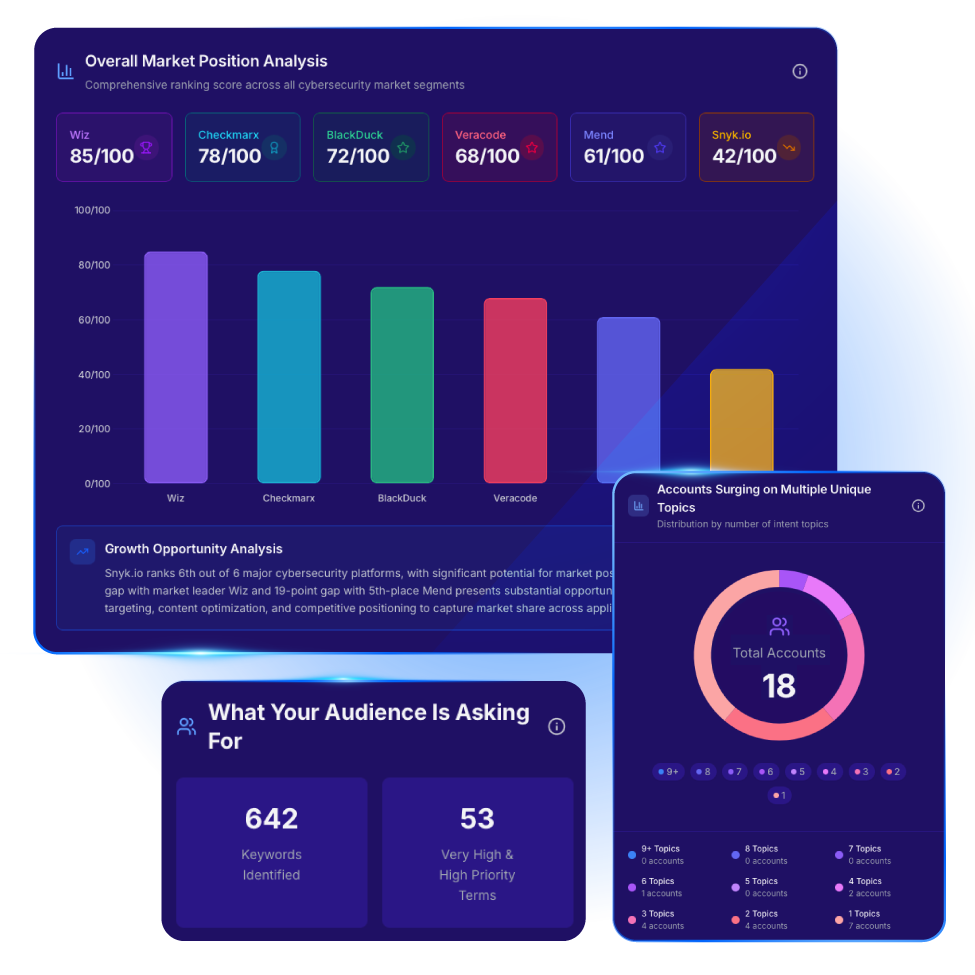
Terminus is built around one idea.
You should not run ABM in silos.
When I went through it, I noticed it is less about a single feature and more about connecting different channels together. Ads, email, and website engagement all sit in one system.
So instead of running separate campaigns in separate tools, everything is tied back to the same account strategy.
Notable Features
- Lets you run ABM campaigns across ads, email, and your website from one platform.
- Includes account-based advertising tools for reaching specific target accounts.
- Brings campaign performance data into a single reporting dashboard.
- Helps coordinate campaigns across multiple channels without jumping between tools.
What I Like About Terminus
- Built for teams running ABM campaigns across several channels at once.
- Ad targeting features are one of its stronger areas.
- Connects well with popular CRM and marketing automation platforms.
- A good fit for organizations with a structured ABM strategy already in place.
Where It Falls Short
- There is a learning curve when you first start using the platform.
- Getting everything set up can take time.
- Pricing is not publicly available, so you’ll need to contact sales for a quote.
Pricing
- Custom pricing
Reported pricing tiers:
- Starter: Around $24,000 per year
- Professional: Around $48,000 per year
- Enterprise: $75,000+ per year
G2 Rating
4.4/5 stars
My Verdict
Terminus feels like a tool built for coordination.
Not experimentation.
Not light testing.
It works best when your ABM strategy is already defined and you need everything running in sync.
The strength is in orchestration. It helps you keep ads, email, and engagement aligned across the same accounts.
But I also think it is not the easiest tool to start with.
There is setup involved, and you need time to get the full value.
For mature ABM teams, though, it does what it is designed to do very well.
6. Userled
Best For: Teams that want to actually run personalized ABM campaigns, not just analyze accounts
Userled sits in a slightly different space compared to most ABM tools I reviewed.
A lot of platforms stop at insight. They tell you which accounts matter. Then they expect you to figure out the execution somewhere else.
Userled focuses more on what happens after that.
It is built for running personalized ABM plays across multiple touchpoints. That includes ads, microsites, and sales engagement. The idea is simple. Take account insights and turn them into real, personalized campaigns at scale.
I noticed it works across different ABM layers too. From broad 1:many campaigns to very focused 1:1 account experiences.
Features That Impressed Me
- Supports 1:many, 1:few, and fully personalized 1:1 ABM campaigns.
- Lets teams create custom microsites and LinkedIn ads for specific target accounts.
- Includes AI tools to help create content while keeping control over messaging and creative.
- Makes it possible to run 1:1 LinkedIn advertising at scale with bidding controls to manage costs.
- Tracks engagement at both the account and contact level in real time.
- Includes a browser-based sales plugin that helps reps personalize outreach without switching tools.
What Userled Does Well
- Connects engagement data with actions teams can actually take.
- Makes website experiences feel more personal for target accounts.
- Tracks individual engagement without relying on third-party cookies.
- Real-time alerts help sales teams know when accounts are active.
- Works smoothly with popular CRMs and data platforms.
A Few Things to Keep in Mind
- The number of reviews is still fairly small compared to more established ABM platforms.
- Pricing is not publicly available.
- Best suited for mid-market and enterprise teams rather than smaller businesses.
- Requires some planning and setup to get the most value from the platform.
Pricing
- LinkedIn Ads: From $2,000/month (billed annually)
- Microsites: From $2,000/month (billed annually)
- Sales Plugin: From $599/month for 5 seats (billed annually)
- Enterprise: Custom pricing
G2 Rating
4.7/5 stars (35 reviews)
My Verdict
What stood out to me with Userled is how close it gets to actual execution.
It is not just about identifying accounts.
It is about running personalized campaigns for those accounts and seeing what happens in real time.
The microsites and LinkedIn ad personalization are the core of it. That is where most of the value seems to sit.
At the same time, I would be careful here.
The review base is still small, and pricing is not fully transparent.
So while the product looks strong for ABM execution, it feels more like a tool you test deeply before committing. For teams that already have ABM figured out and now want better personalization at scale, this makes sense. But for early-stage ABM setups, it may feel like too much too soon.
7. ZoomInfo
Best For: Teams that want clean B2B contact data + intent signals in one place
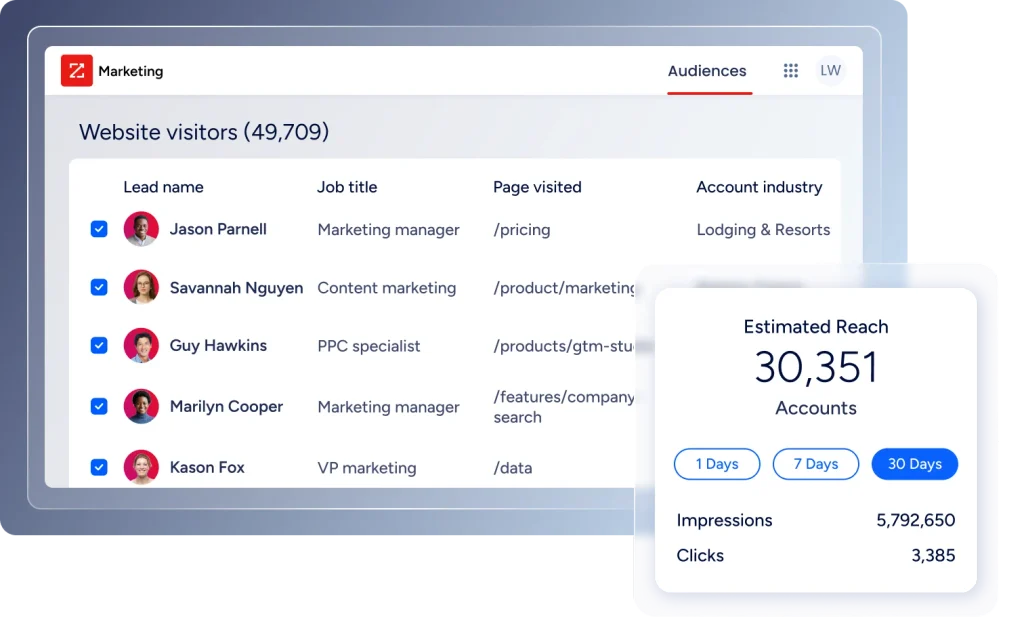
ZoomInfo is less of a pure ABM platform and more of a data foundation for ABM.
When I looked at it, the biggest thing that stood out was scale. The database is huge. Over 100 million verified contacts, plus detailed company profiles across industries.
What makes it useful in an ABM context is how it connects intent signals with real people.
So instead of just seeing that a company is researching something, you can immediately find the decision-makers inside that account.
That bridge between intent and contact data is where ZoomInfo becomes powerful.
Key Features
- Gives access to a database of more than 100 million verified business contacts.
- Provides company insights such as org charts, firmographic data, and technology information.
- Tracks intent signals to help identify companies researching relevant topics.
- Enriches Salesforce and HubSpot records automatically.
- Includes advanced search filters for building highly targeted account lists.
What I Like About ZoomInfo
- Contact data is one of its biggest strengths.
- Combines intent signals and contact information in a single platform.
- Makes it easier to understand buying committees and company structures.
- Has a strong reputation among sales and go-to-market teams.
- A natural fit for companies already using other ZoomInfo products.
What Could Be Better
- Getting started usually requires a separate ZoomInfo contract.
- Intent data often costs extra.
- Contracts are typically annual and may include auto-renewal terms.
- Account scoring is not as advanced as some intent-focused platforms.
- Costs can add up quickly, especially for smaller teams.
Pricing
- Base Platform: Around $15,000+ per year
- Intent Add-On: Custom pricing
- Typical Contract Value: Around $25,000+ per year
G2 Rating
4.4/5 stars
My Verdict
ZoomInfo is not really an ABM execution tool.
It is more of a backbone for ABM.
If your team depends on accurate contact data and you want to connect intent signals directly to real decision-makers, this tool makes a lot of sense.
I think its biggest strength is reducing the gap between “this account is interested” and “here are the actual people you should talk to.”
But it is not cheap, and it is not light.
So, I would only see it as a core data layer, not your full ABM stack.
8. HubSpot Marketing Hub (ABM Features)
Best For: Teams already inside the HubSpot ecosystem who want simple, built-in ABM tools
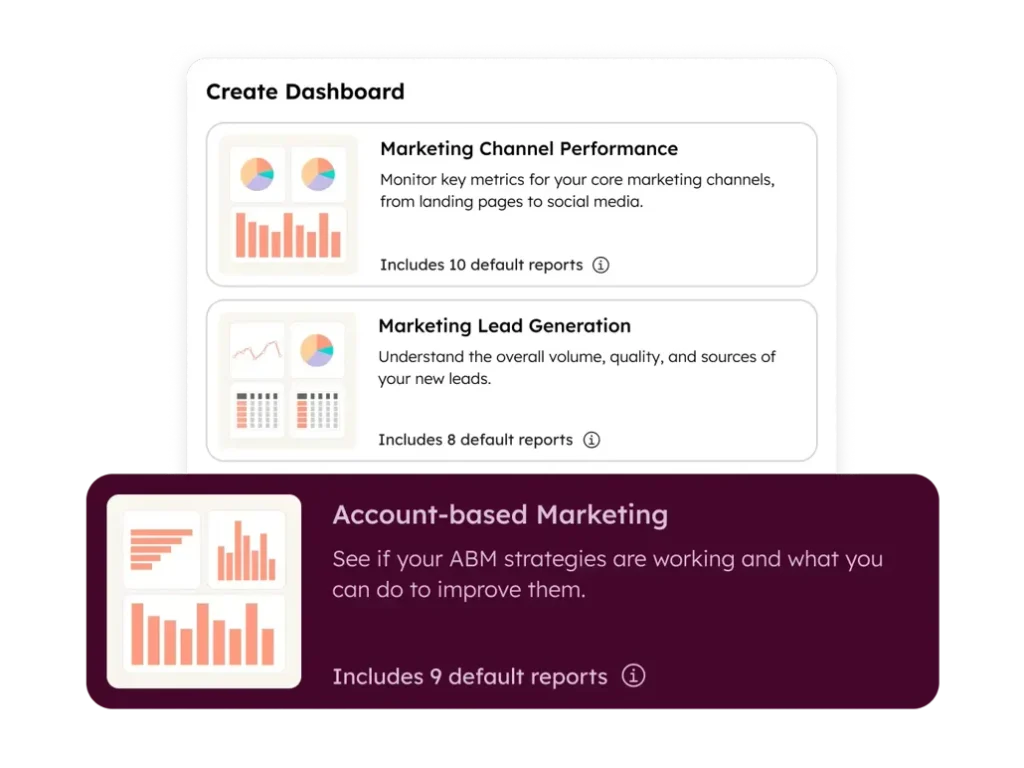
HubSpot’s ABM features feel practical more than anything else.
When I went through it, I did not see a “specialized ABM platform.” I saw a CRM-first system that quietly adds ABM on top of what it already does well.
So if you are already using HubSpot CRM, this becomes less about adding a new tool and more about unlocking extra functionality inside something you already have.
It covers the basics of ABM in a very clean way. You can build target account lists, assign ownership, track engagement, and see how accounts move through your pipeline without leaving the platform.
Features I Think Matter Most
- Syncs account data directly with HubSpot CRM.
- Lets you build target account lists using factors like industry, company size, and engagement.
- Automatically scores companies to help teams focus on the right accounts.
- Includes ready-made dashboards for tracking engagement and pipeline impact.
- Can personalize landing page experiences based on the company visiting your site.
What Stands Out About HubSpot
- Everything feels connected if you’re already using HubSpot CRM.
- No need to piece together multiple tools or manage complex integrations.
- Much easier to learn than most enterprise ABM platforms.
- Pricing is more transparent than many competitors.
- HubSpot has a strong reputation for reliability and customer support.
Where It Comes Up Short
- The ABM features are solid, but they are not as advanced as dedicated ABM platforms.
- Some of the more useful features require higher-tier plans.
- Intent data is not as strong as what you’ll get from platforms like 6sense or Demandbase.
- Personalization capabilities are more limited than tools built specifically for that purpose.
- Large enterprise teams with complex ABM programs may find it restrictive.
Pricing
- Starter: $800/month
- Professional: $950/month
- Enterprise: $1,600/month
Pricing can vary based on seats and plan level.
G2 Rating
4.4/5 stars (57 reviews)
My Verdict
From what I saw, HubSpot ABM is not trying to compete with heavy ABM platforms.
It is trying to make ABM easier for teams that are already managing everything inside HubSpot.
And in that context, it works well.
You get account lists, scoring, dashboards, and basic personalization without adding new tools or complexity.
But the trade-off is clear.
It does not go deep on intent data or advanced ABM orchestration.
So I see it as a “good enough” ABM layer for HubSpot users, not a full replacement for dedicated ABM platforms.
9. Mutiny
Best For: Teams focused on website personalization as their main ABM lever
Mutiny is very focused.
And that is what makes it interesting.
Instead of trying to cover the entire ABM stack, it focuses on one thing: personalizing your website for different accounts and visitor segments.
When I looked at it, the use case was clear.
You are not sending everyone to the same homepage anymore. You are shaping the message based on who is visiting.
So a fintech company might see one version of your site, while a healthcare account sees another.
And you can do this without involving engineering.
Features That Make Mutiny Different
- Lets you personalize website experiences without writing code.
- Uses AI to suggest different messaging variations for target audiences.
- Supports both 1:few and 1:1 personalization campaigns.
- Uses a simple script-based setup that is quick to deploy.
- Helps improve conversions with account-based website experiences.
What I Like About Mutiny
- Built specifically for website personalization rather than trying to do everything.
- Marketing teams can launch personalized experiences without relying on developers.
- Faster to implement than many enterprise ABM platforms.
- Works especially well when you have clear customer segments.
- The interface is straightforward and easy to work with.
A Few Drawbacks
- Needs a decent amount of website traffic before you can see meaningful results.
- Focuses on personalization, not full ABM execution.
- Some advanced capabilities require higher-tier plans.
- Pricing may feel expensive for some mid-market teams.
- Usually a better fit for larger B2B SaaS companies than smaller businesses.
Pricing
- Starts at around $1,500 per month (about $18,000 per year)
- Average contracts are reported to be around $37,800 per year
G2 Rating
4.6/5 stars (143 reviews)
My Verdict
Mutiny is very clear in what it is trying to do.
It is not trying to manage your entire ABM strategy.
It is trying to improve one of the most important parts of ABM: what people see when they land on your website.
And that focus shows.
If your ABM strategy depends heavily on messaging, landing pages, and conversion rate optimization, this tool can make a real difference.
But it is not a standalone ABM stack.
You will still need other tools for intent data, targeting, and sales execution.
So I see it more as a strong layer inside an ABM system, not the system itself.
10. Marketo Engage (Adobe)
Best For: Large enterprise teams running complex, multi-region marketing operations inside the Adobe ecosystem
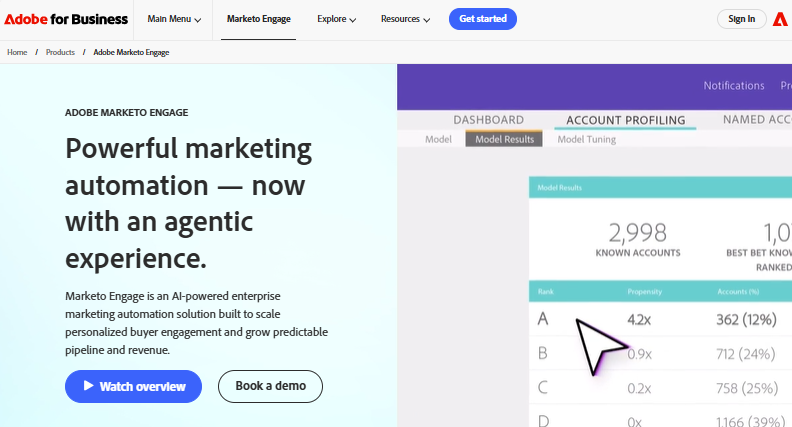
Marketo Engage feels like one of those tools that has been around long enough to become part of the enterprise marketing stack.
When I went through it, it was clear this is not a “quick setup” ABM tool. It is built for teams that already run structured marketing operations and need something that can handle scale, complexity, and multiple regions at once.
It sits inside the Adobe Experience Cloud, which matters a lot here. Because a big part of its strength comes from how well it connects with Adobe’s other tools like Analytics and Experience Manager.
At its core, Marketo helps you run coordinated campaigns across entire buying committees, not just individual leads.
Features Worth Knowing About
- Scores accounts using engagement data from everyone involved in the buying process.
- Builds predictive audiences to help find accounts that look similar to your best customers.
- Uses visual workflow builders for managing campaigns across multiple channels.
- Connects closely with other Adobe Experience Cloud products.
- Tracks how accounts move through different stages of the revenue cycle.
What Marketo Engage Does Well
- Handles complex marketing workflows better than most platforms.
- Scales well for large companies operating across multiple regions.
- Strong automation and lead scoring capabilities.
- A good fit for organizations already invested in the Adobe ecosystem.
- Offers detailed attribution and reporting for measuring marketing impact.
Things to Consider Before Buying
- There is a steep learning curve, especially for new users.
- Pricing can be difficult to justify for smaller teams.
- Setup often takes time and may require outside help.
- More than most mid-market teams will need.
- Works best when you have dedicated marketing operations resources.
Pricing
- Typically ranges from $1,500 to $6,000+ per month
- Costs vary based on database size, feature access, and implementation needs
G2 Rating
4.1/5 stars
My Verdict
Marketo Engage is clearly built for enterprise environments where marketing is already complex.
It is not a tool you pick to “start ABM.”
It is a tool you pick when ABM is already happening at scale and you need tighter orchestration across regions, channels, and buying groups.
What stands out most is its depth.
You can model revenue cycles, run multi-step campaigns, and connect deeply with Adobe’s ecosystem in a way that most tools cannot match.
But that depth comes with trade-offs.
It is heavy, expensive, and not easy to learn.
So I would only see it as a fit for mature enterprise teams that already have the people and processes in place to manage it properly.
Conclusion
After comparing these ABM tools, one thing became clear to me.
The tool is rarely the reason an ABM program succeeds or fails.
Most teams already have more features than they use. The bigger challenge is knowing which accounts to focus on and getting sales and marketing working toward the same goal.
A smaller team with a clear target account list can often get better results than a larger team with expensive software and no clear strategy.
The best ABM tool is usually the one that fits your budget, your workflow, and the way your team already works.
Pick a platform that solves your biggest problem today, not the one with the longest feature list.
Frequently Asked Questions
What is the best ABM tool for B2B companies?
There is no single best ABM tool for every B2B company. If your focus is account analytics and attribution, Factors.ai is worth a look. For larger companies running mature ABM programs, Demandbase and 6sense are often stronger options. Teams that care more about personalization may find Userled or Mutiny a better fit.
Are ABM tools worth it for small and mid-sized businesses?
Yes, they can be.
If you’re selling to a specific group of high-value accounts, ABM tools can help you focus your time and budget on the companies most likely to buy. The key is having a clear target account list before investing in the software.
What is the difference between an ABM tool and a sales intelligence tool?
An ABM tool helps you identify, engage, and track target accounts.
A sales intelligence tool helps you find company and contact data.
In simple terms, one helps you run account-based marketing campaigns, while the other helps you find the people and companies you want to reach. Many B2B teams use both together.
Can HubSpot be used for account-based marketing?
Yes.
HubSpot includes several built-in account-based marketing features, including target account lists, company scoring, engagement tracking, and ABM reporting. For many mid-market teams already using HubSpot CRM, that is enough to run a solid ABM program without buying another platform.
How much do ABM tools cost?
The price range is wide.
Some tools start at a few hundred dollars per month, while enterprise platforms can cost tens of thousands of dollars per year. The final cost usually depends on the number of users, data requirements, integrations, and the features included in your plan.
This version reads more like a person sharing what they learned after researching the market rather than a generic SaaS article. The sentences are shorter, the language is simpler, and the advice feels more grounded in actual buying decisions.